.png)
 1 year ago
🎙️ Daily Podcast (FR) : NViNiO•Podcast™
ADs | ✨ Enhance your Social Media content with NViNiO•AI™ for FREE
May 13, 2025
[[read-time]] min read
Android has new protections against everything from scam text messages to sophisticated security threats.

Stella Loh
Senior Product Manager, Android
Bullet points
"3 ways Android keeps you and your device safe" shows how Android improves security. Google Messages now better detects and blocks scam texts including crypto and financial scams. Find Hub helps locate lost devices and tagged items plus share your location with loved ones. Advanced Protection in Android 16 offers the strongest security features against sophisticated threats. These updates enhance your digital and physical safety and peace of mind.Summaries were generated by Google AI. Generative AI is experimental.
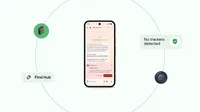
Android is constantly evolving to help keep you safe from the unexpected, from scams and lost belongings to the most sophisticated security threats. Here are three new ways Android is keeping you and your devices safe.
1. Google Messages has enhanced protection from scam texts.
AI-powered Scam Detection blocks billions of suspicious messages for Google Messages users each month. And it’s always getting smarter and better at spotting new text scams.
Now, it can even recognize dangerous crypto and financial scams, toll road scams, gift card scams and more to help keep you safe. Most importantly, this smart detection happens all on your device to keep your conversations private to you. Learn more about our new fraud and scam protections on our security blog.
2. Find Hub helps you keep belongings — and loved ones — safe.
Android has always offered a wide variety of features to keep your digital life secure, and that extends to your physical belongings, too. We launched Find My Device to help you locate everything from a lost phone at the park to a misplaced piece of luggage at the airport. Now this feature is evolving into something even more helpful: Find Hub.
With Find Hub, you can easily locate your devices and tagged items, check if loved ones got home safely or share your location during a night out — all within a single, unified space. We’re adding even more compatible devices and Bluetooth tags to our ever-expanding list of partners. Learn more and sign up to be notified of our partner tag deals.
And later this year, for devices and carriers that support satellite connectivity, Find Hub will take safety even further with the integration of satellite connectivity, helping you stay connected with friends and family even when cellular service is unavailable.
Thanks to our partnerships, you’ll be able to easily share your Bluetooth tag's location with some of your favorite airlines early next year, making recovering your lost luggage a breeze.
3. Advanced Protection makes it simple to turn on Google’s strongest security for mobile devices.
Android 16 enhances and expands the Advanced Protection features that Google first launched in 2017, making it simple to turn on an array of robust device security features. Whether you're a public figure or just want the best of Android’s powerful security features, you can turn on Advanced Protection for peace of mind that you’re protected against the most sophisticated threats. Learn more about Advanced Protection on our security blog.

Let’s stay in touch. Get the latest news from Google in your inbox.









 English (United States) ·
  French (France) ·