.png)
 5 months ago
🎙️ Daily Podcast (FR) : NViNiO•Podcast™
ADs | ✨ Enhance your Social Media content with NViNiO•AI™ for FREE
We’re rolling out new features for creators on Android 17, including an optimized Instagram experience, advanced editing tools and Adobe Premiere.
Patrick Shehane
Director, Engineering
General summary
Android 17 introduces new tools to help you create and share content more efficiently. You can now use Screen Reactions to record your responses directly over clips, enjoy higher quality Instagram uploads, and use artificial intelligence to enhance your photos and audio. Keep an eye out for the upcoming Adobe Premiere app and check the Android Show to see how these updates can improve your creative workflow.
Summaries were generated by Google AI. Generative AI is experimental.
Bullet points
"More ways to create and share with Android" brings new tools to help creators. Record yourself and your screen simultaneously with the new Screen Reactions feature. Enjoy better Instagram photo and video quality directly from your Android device. Use on-device AI to quickly enhance your videos and clean up background audio. Professional editing apps like Adobe Premiere are coming to your Android tablet soon.Summaries were generated by Google AI. Generative AI is experimental.
Basic explainer
Android is rolling out new tools to help creators make and share content faster. You can now record reaction videos directly on your screen and get better photo quality on Instagram. New AI features also help you clean up your audio and improve your video quality in seconds. These updates turn your phone into a powerful editing studio so you can spend less time working and more time creating.
Summaries were generated by Google AI. Generative AI is experimental.
Your browser does not support the audio element.
Listen to article
This content is generated by Google AI. Generative AI is experimental
[[duration]] minutes
If you’re a creator, you might be spending hours on your phone — capturing content, editing videos, then posting and responding to comments. But imagine if instead, you could trade screen time for the chance to be fully present in the moment. That was our goal with Android 17: Deliver a suite of updates to help you, the creator, focus on what matters most.
From deeper social media integrations to new AI-powered editing tools, here’s a look at the creative updates coming to Android.
React in the moment with Screen Reactions
We’re making it easier to create reaction videos without the hassle of switching apps or setting up a green screen. With Screen Reactions, in just a few taps you can record yourself and your screen at the same time, letting you overlay your authentic response directly onto trending clips, wild comment sections or your latest gift guide. You’ll see this feature roll out first on Pixel devices this summer.
Enjoy a more vibrant Instagram experience
We’re making it even easier to share the great photos you take with your Android phone. We’ve teamed up with Meta to bring the best of Instagram to our most advanced Android devices.
This includes:
Ultra HDR capture and playback: Lifelike vibrancy with colors that truly pop.Built-in video stabilization: Smooth video for when you’re walking, dancing or just highly caffeinated.Night sight integrations: The perfect shot even in the dimmest settings.We’ve also made major strides in how you share your content. We’ve completely optimized the capture-to-upload pipeline to ensure your photos and videos remain stunningly sharp when you hit “post.”
In fact, recent side-by-side tests using the Universal Video Quality (UVQ) model confirm that video captured and uploaded to Instagram from Android flagship devices scores the same or better than the leading competitor. For creators who prefer a larger canvas to fine-tune their work, Instagram is now fully optimized for Android tablets, making the most of the large-screen real estate.
Refine faster with the Edits app
We’re also bringing new tools to Instagram’s Edits app, exclusively on Android. These features turn raw footage into polished content in seconds using on-device AI.
Key upgrades include:
Smart enhance: With a single tap, you can instantly upscale your photos and videos with advanced on-device AI.Sound separation: If you’ve ever struggled through multiple retakes because something or someone interrupted your video, the Edits app will now identify and separate out audio tracks — wind, noise, and music — to boost the sounds that you want and remove what you don’t.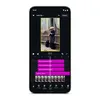
Maximize your creativity and optimize pro-grade video
Android is becoming a true mobile workstation for YouTubers, filmmakers and vloggers.
For creators who prefer a larger canvas to fine-tune their work, Instagram is now fully optimized for Android tablets, making the most of the large-screen real estate.
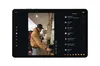
The Adobe Premiere app is coming to Android soon. With Premiere, you’ll get access to exclusive templates and effects to create and post YouTube Shorts from the app, helping you stand out in the feed.
Built specifically for professional creators, APV (Advanced Professional Video) is the most storage-efficient pro format available, co-developed with Samsung. Powered by dedicated hardware acceleration on the new Snapdragon 8 Elite Gen 5, it’s available right now on the Samsung Galaxy S26 Ultra and vivo X300 Ultra, with more flagships rolling out later this year.
We’re setting a new standard for social on Android. See more of what’s new at the Android Show.
Done. Just one step more.
Check your inbox to confirm your subscription.
You are already subscribed to our newsletter.
You can also subscribe with a

Let’s stay in touch. Get the latest news from Google in your inbox.






 English (United States) ·
  French (France) ·