.png)
 1 year ago
🎙️ Daily Podcast (FR) : NViNiO•Podcast™
ADs | ✨ Enhance your Social Media content with NViNiO•AI™ for FREE
Apr 02, 2025
[[read-time]] min read
Starting today, you can find and easily add new, relevant information to your notebook.
Adam Bignell
Software Engineer
General summary
NotebookLM now lets you discover sources from the web. Just describe your topic, and NotebookLM will find and summarize relevant sources for you. You can add these sources to your notebook with one click and use them with other NotebookLM features like Briefing Docs and FAQs.
Summaries were generated by Google AI. Generative AI is experimental.
Bullet points
NotebookLM's new "Discover Sources" feature helps you find relevant web content for your projects. Describe your topic, and NotebookLM will find and summarize the most relevant sources. Add these sources to your notebook with one click and use them with other NotebookLM features. The "I'm Feeling Curious" button lets you explore random topics and see the source discovery agent in action. This feature is powered by Gemini and is rolling out to all NotebookLM users over the next week.Summaries were generated by Google AI. Generative AI is experimental.
Basic explainer
NotebookLM is a tool that helps you learn about anything. Now, you can easily find sources for your projects. Just tell NotebookLM what you're interested in, and it'll find articles and websites for you. You can add them to your notebook with one click! It's like having a research assistant that helps you learn new things.
Summaries were generated by Google AI. Generative AI is experimental.
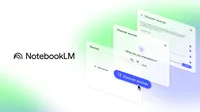
NotebookLM helps you understand anything. If you’ve used NotebookLM before, you’ve manually uploaded sources for your projects — whether you’re writing a paper, planning a vacation or transcribing interviews. But starting today, there’s a new option: Discover sources.
When you tap the Discover button in NotebookLM, you can describe the topic you’re interested in, and NotebookLM will bring back a curated collection of relevant sources from the web. You can add those sources to your notebook in one click. It’s a fast and easy way to quickly grasp a new concept or gather essential reading on a topic.
How it works
When you describe your topic, NotebookLM gathers hundreds of potential web sources in seconds. It analyzes them and picks the most relevant ones based on your defined topic. It presents up to 10 source recommendations, each with an annotated summary explaining its relevance to your topic.
With one click, you can import these sources and use them with other NotebookLM features, such as Briefing Docs, FAQs, and Audio Overviews. The sources will remain in your notebook, allowing you to also read the originals, ask questions via chat, and use NotebookLM's citation and note-taking features.
We've even included a fun additional feature for newcomers to NotebookLM: the “I'm Feeling Curious” button. It generates sources on a random topic, offering a quick way for you to see the product’s source discovery agent in action.
Here’s how you can use it:
Go to notebooklm.google.com.Open up a notebook.In the Sources panel, tap the Discover button.Describe what you’re interested in.Discover sources is the first of a series of NotebookLM features that uses the power of Gemini to find and collect relevant sources for your notebook. It will start rolling out today for all NotebookLM users, and we expect the rollout to take about a week or so.









 English (United States) ·
  French (France) ·