.png)
 8 months ago
🎙️ Daily Podcast (FR) : NViNiO•Podcast™
ADs | ✨ Enhance your Social Media content with NViNiO•AI™ for FREE
Today, we’re announcing new ways for educational organizations to protect their data and use AI responsibly: Google AI media verification, ransomware detection, and granular admin controls.
Akshay Kirtikar
Group Product Manager, Google for Education
General summary
Google is adding new security and AI features to Workspace for Education. You can now verify Google AI-generated images and videos with SynthID in the Gemini app. Admins get better controls with ransomware detection file restoration SecOps integration and Meet livestream access options.
Summaries were generated by Google AI. Generative AI is experimental.
Basic explainer
Google is adding new stuff to Google Workspace for Education to make it safer and smarter. They're helping schools spot AI-made content with a tool that checks if images and videos were created by AI. Also, they're giving schools better controls to protect against things like ransomware and manage who can see Google Meet live streams. Google wants to make sure its tools are helpful and safe for everyone.
Summaries were generated by Google AI. Generative AI is experimental.
Your browser does not support the audio element.
Listen to article
This content is generated by Google AI. Generative AI is experimental
[[duration]] minutes
Editor’s note: At this year’s British Educational Training and Technology (Bett) conference, we announced new AI, security, and administrative features designed to help every learner and educator. Here’s a closer look at what’s new.
As AI and education technology continue to evolve, ensuring a secure and trustworthy learning environment is more critical than ever. We are committed to equipping schools with tools that not only foster innovation but also prioritize safety and data integrity. From new capabilities that help the community verify AI-generated media to automated protections against ransomware and advanced controls for administrators, these enhancements empower schools to navigate the future with greater security and confidence.
Ensuring the responsible use of AI in education
We’ve pioneered the responsible use of AI since its development. As generative media becomes more prevalent and high-fidelity, we’re deploying tools to help the education community determine whether the content they're interacting with was created or edited using AI. You can detect images and videos created or edited by Google AI using SynthID, our invisible digital watermark. Simply upload the media to the Gemini app and ask, “Is this AI-generated?” This is just the first step. Over time, we plan to expand this verification to audio files and non-Google models as well.
Bringing enhanced admin controls to schools
We’ve brought enhanced security features and more granular controls to admins to ensure schools are always in control.
Drive ransomware detection and file restoration: If ransomware is detected on a computer using Drive for desktop1, syncing pauses immediately. Admins and users are alerted, and users can easily restore multiple files to pre-infection versions — avoiding data loss and ransom payments.Users see this notification in Drive for desktop when ransomware has been detected on their device, automatically pausing file syncing to the cloud.
Users can easily restore multiple files to a previous state with Google Drive.
An alert in the Admin console showing a notification for detected ransomware.
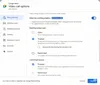
New "Adaptive" meeting type: A new opt-in "Adaptive" meeting type setting provides access to these new controls. Existing meetings will keep their behaviors unchanged.
We’re committed to making sure Google Workspace for Education remains not only the most helpful tool for students and educators, but the most secure. Stay tuned for more security and AI integrity updates in the coming months. To see all of our announcements, check out our Launch Guide.

Let’s stay in touch. Get the latest news from Google in your inbox.





 English (United States) ·
  French (France) ·