.png)
 2 months ago
🎙️ Daily Podcast (FR) : NViNiO•Podcast™
ADs | ✨ Enhance your Social Media content with NViNiO•AI™ for FREE
Gemini Omni makes creating videos as easy as having a conversation. Here are some of the coolest things people and companies are building with it.
Lindsey Lanquist | Contributor
Your browser does not support the audio element. | This content is generated by Google AI. Generative AI is experimental
Google’s new AI model, Gemini Omni, makes editing and creating videos as easy as having a conversation. You can change camera angles, swap out objects or even turn simple sketches into realistic animations. It understands how the world works, so your videos look natural and smooth. It’s a powerful tool that lets you bring your wildest ideas to life.
Summaries were generated by Google AI. Generative AI is experimental.
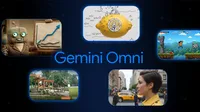
At this year’s I/O, we introduced Gemini Omni Flash, our first model in the new Omni family. Omni makes creating and editing videos as easy as having a conversation. You can generate high-quality videos from text, image, video, or audio references, and even edit your own videos. And since Omni combines an intuitive understanding of physics with Gemini’s real-world knowledge, it creates more realistic outputs.
We recently gave developers access to Omni, and builders have already used it for a range of projects. Here are some of the demos that caught our eye.
Switch angles and perspectives.
Omni makes editing videos incredibly easy. You can change camera angles, switch environments, and apply cinematic zooms — all without losing the thread of your original scene.
Builder Leon Lin (@LexnLin on X) took full advantage of this capability, capturing a woman standing in the middle of a city from about 20 different perspectives. You see her from every angle imaginable: up close and far away, head on and in profile, from above, and from below. Some shots zoom in, while others hold still. And the background shifts: She stands on sidewalks, crosswalks, and city streets, surrounded by pedestrians, cars, trams, and a range of different buildings.
Transform the world around you.
Omni lets you change what’s happening in a video and create something you never could have filmed yourself. You can edit the action or swap in different objects, and Omni will still maintain a coherent, cohesive scene.
Take this video from builder Carlos Santana (@DotCSV on X), for example. He changes an outdoor scene using only his voice, switching the lighting from day to night, adding cloudy skies and rainy sounds, turning the leaves orange, and covering the ground in snow.
Animate everyday objects.
With Omni in Google Flow, you can turn sketches into realistic videos, using doodles to guide how individual elements move. And you can decide whether these hand-drawn elements become part of your final product.
Builder Pan (@sebatheepan on X), for instance, uses doodles to playfully transform everyday objects. A lemon becomes a submarine bobbing in the ocean. A cup of espresso is now a hot air balloon transporting someone through the sky. A pair of hot peppers form a sleeping dragon that breathes fire when startled. A match is recast as a rocket ship. And scissors turn into a scary shark looking for a snack.
Play with different styles or visual effects.
Curious what your video would look like with a completely different aesthetic? With Omni, you can change styles and apply effects to create something that matches your vision. Define the look you want by inputting references, or just describe what you’re looking for in natural language. Omni blends that together to create a cohesive clip.
Builder Jerrod Lew (@jerrod_lew on X) put this to the test with Omni in Google Flow, rendering a video of a woman walking down the street in four different animation styles. The original clip fluidly shifts from live-action to anime to claymation and more, never interrupting the woman’s natural forward progression.
Bring ideas to life.
The team at Hyperagent (@hyperagentapp on X) used Omni to visualize three different concepts with video. They layered landscaping into a video of an empty park to create a before-and-after design proposal. They personified data with an animated professor who explains business dashboards. And they gamified a to-do list with a video showing a character clearing tasks.
Omni blends knowledge with creativity, letting you create scenes that follow real-world logic. Try it in the Gemini app, Google Flow, Google AI Studio, the Gemini API, or the Gemini Enterprise Agent Platform.
Get the latest news from Google in your inbox
Sign up for our newsletters with product updates, event information, special offers, and more.
Your information will be used in accordance with Google's privacy policy. You may opt out at any time.









 English (United States) ·
  French (France) ·