.png)
 11 months ago
Make your new Pixel 10 yours with Magic Cue, Material 3 Expressive and more.
General summary
The new Pixel 10 phones are here with ways to personalize your experience. Use Magic Cue to connect your apps and Daily Hub for a quick look at your day. Also personalize your phone's visual design with Material 3 Expressive.
Summaries were generated by Google AI. Generative AI is experimental.
Bullet points
"4 Easy Ways to Personalize Your Pixel 10" shows you how to make your new phone truly yours. Magic Cue uses Google's new chip to proactively surface info and suggest actions across apps. Daily Hub in your Discover feed gives you a personalized digest of your day and relevant topics. Material 3 Expressive lets you personalize your Pixel's visual design with Live Effects and more. Enjoy a fluid experience with springy animations and smooth interactions throughout the Pixel UI.Summaries were generated by Google AI. Generative AI is experimental.
Basic explainer
The new Pixel 10 phone lets you make it your own. Magic Cue helps you find important stuff across your apps. Daily Hub shows you what's coming up each day. You can also change how your phone looks with Material 3 Expressive.
Summaries were generated by Google AI. Generative AI is experimental.
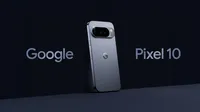
The newest Google phones are officially on shelves. Whether you choose Pixel 10, Pixel 10 Pro, Pixel 10 Pro XL or Pixel 10 Pro Fold, you’ll get a more proactive and helpful Pixel than ever, plus options for really making your phone yours. Here are four ways you can personalize your Pixel right after you take it out of the box.
1. Use Magic Cue to connect the dots across your apps
The more you use your phone, the more time you likely spend swiping around to find all the details that hold your life together. Magic Cue uses the new Google Tensor G5 chip and Gemini Nano to proactively surface relevant information and suggest helpful actions across different apps. That means it can find reservation details in your Gmail, add events to your Calendar and preview the forecast for upcoming trips in the Weather app. And because life is busy enough, if Magic Cue doesn’t find the right suggestion, it won’t interrupt what you’re doing. You can also turn Magic Cue on or off at any time, and control what data it has access to.
2. Check Daily Hub for a quick look-ahead
Daily Hub is a personalized digest in your Discover feed. Take a look to see what’s coming up on your calendar, relevant topics for you to deep dive on, recommended playlists and more. It’s also another place where you can find Magic Cue. Daily Hub will give you a personalized digest every morning and evening, but you can check it any time to stay on top of what’s next.
3. Personalize your Pixel’s visual design with Material 3 Expressive
All Pixel 10 phones come with our latest Pixel UI, Material 3 Expressive, made to reflect your style and preferences. Coming only to Pixel, Material 3 Expressive’s Live Effects provides more expressive photo wallpapers by adapting to your notifications and surfacing contextual information in a more immersive and glanceable way. Material 3 Expressive also includes 14 new or updated components that feature more configuration capabilities, like emphasizing typography differently in different spots, switching up color schemes or changing the shape of various icon buttons. And for a more fluid, fun experience overall, Material 3 Expressive uses a mix of springy animations, like when you fling down the shade, and smooth interactions, like when you slide an email to archive it.
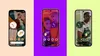
4. Set up your phone the way you want it
When you first turn on your Pixel 10, it’ll walk you through a bunch of customization options. You can decide to get instant translations, identify music around you, control the information on your lock screen, set up an always-on display, change device sounds and prepare for an emergency by adding contacts to the Personal Safety app.
Of course, you can always tweak these choices in your settings later. Because that’s the whole point: As your preferences change, so can your Pixel.

Let’s stay in touch. Get the latest news from Google in your inbox.








 English (United States) ·
  French (France) ·