.png)
.png) 1 year ago
1 year ago
🎙️ Daily Podcast (FR) : NViNiO•Podcast™
ADs | ✨ Enhance your Social Media content with NViNiO•AI™ for FREE
AI agents powered by large language models (LLMs) help organizations streamline and reduce manual workloads. These agents use multilevel, iterative reasoning to analyze problems, devise solutions, and execute tasks with various tools. Unlike traditional chatbots, LLM-powered agents automate complex tasks by effectively understanding and processing information. To avoid potential risks in specific applications, maintaining human oversight remains essential when working with autonomous AI agents.
In this post, you’ll learn how to build a human-in-the-loop AI agent using NVIDIA NIM microservices, an accelerated API optimized for AI inference. The post features a social media use case to showcase how these versatile AI agents can handle complex tasks with ease. With NIM microservices, you can seamlessly integrate advanced LLMs into your workflows, providing the scalability and flexibility required for AI-driven tasks. Whether you‘re creating promotional content or automating complex workflows, this tutorial is designed to accelerate your processes.
To see a demo, watch How to Build a Simple AI Agent in 5 Minutes with NVIDIA NIM.
One of the biggest challenges marketers face today is generating high-quality, creative promotional content across platforms. The goal is to create varied promotional messages and artwork that can be published on social media.
Traditionally, a project leader assigns these tasks to specialists like content writers and digital artists. But what if AI agents could help make this process more efficient?
This use case involves two AI agents—the Content Creator Agent and the Digital Artist Agent. These AI agents will generate promotional content and submit it to a human decision-maker for final approval, ensuring that human control remains central to the creative process.
Video 1. Watch how a marketer creates a social media post with the support of AI agentsArchitecting the human-agent decision-making workflow
Building this human-in-the-loop system involves creating a cognitive workflow where AI agents assist in specific tasks, while humans perform the final decision-making. Figure 1 outlines the interaction between the human decision-maker and the agents.
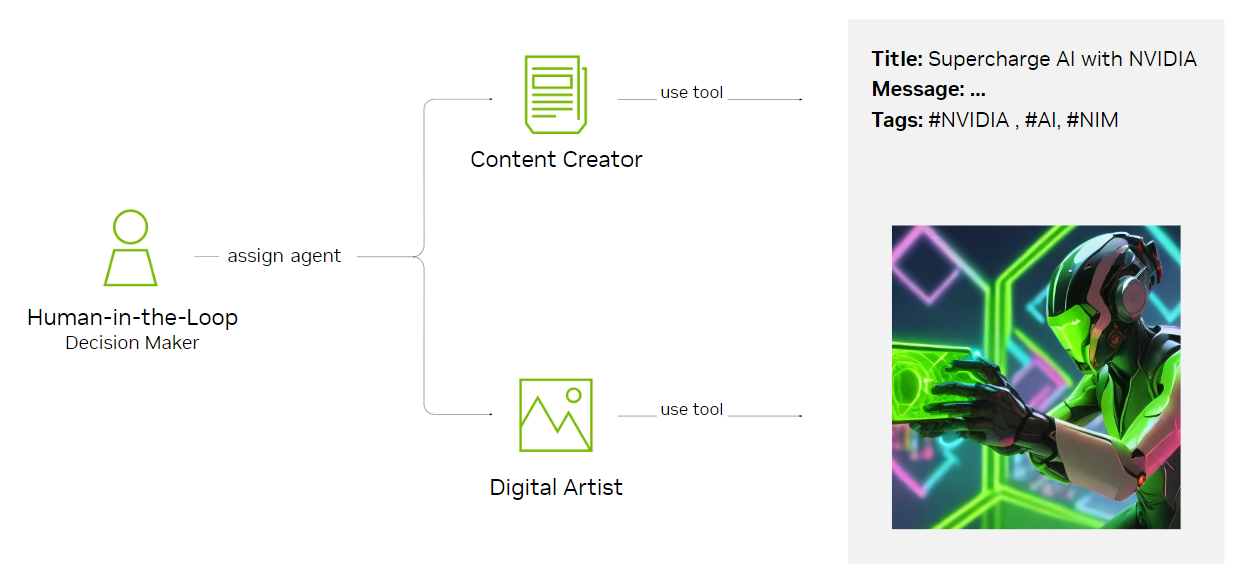 Figure 1. Human-agent interaction conceptual architecture
The Content Creator Agent uses the Llama 3.1 405B model, accelerated by NVIDIA LLM NIM microservices. LangChain ChatNVIDIA with NIM functional calling and structured output are also integrated to ensure organized, reliable results. ChatNVIDIA is an-open-source Python library contributed by NVIDIA to LangChain that enables developers to easily connect with NVIDIA NIM. These combined capabilities are consolidated into LangChain runnable chain (LCEL) expressions, creating a robust agent workflow.
Constructing the Content Creator Agent
Begin by constructing the Content Creator Agent. This agent generates promotional messages following specific formatting guidelines, using the NVIDIA API catalog preview API endpoints. NVIDIA AI Enterprise customers can also download and run NIM endpoints locally.
Use the Python code below to get started:
Using the digital artist agent
Next, we introduce the Digital Artist Agent, which transforms promotional text into creative visuals using the NVIDIA sdXL-turbo text-to-image model. This agent rewrites input queries and generates high-quality images designed for social media promotion campaigns. The following code provides an example of how the agent integrates:
Use the following Python script to rewrite user input queries into image generation prompts:
Next, bind the image generation into the selected LLM and wrap it in LCEL to create the Digital Artist Agent:
Integrating human-in-the-loop with the role of the decision-maker
To maintain human oversight, the agents will share their outputs for final approval. A human decision-maker will review both the text generated by the Content Creator Agent and the artwork produced by the Digital Artist Agent.
This interaction allows for multiple iterations, ensuring that both the promotional messages and images are polished and ready for deployment.
The agentic logic places humans at the center as decision-makers, assigning the appropriate agents for each task. LangGraph is used to orchestrate the agentic cognitive architecture.
This involves a function that asks for human input:
Next, create two additional Python functions to serve as graph nodes, which LangGraph uses to represent steps or actions within a workflow. These nodes enable the agent to execute specific tasks sequentially or in parallel, creating a flexible and structured process:
Finally, bring everything together by connecting the nodes and edges to form the human-in-the-loop multi-agent workflow. Once the graph is compiled, you’re ready to proceed:
Launching the human-agent workflow
Now, launch the app. It prompts you to assign one of the available agents for the given task.
A prompt for writing the promotional text
First, query the Content Creator Agent to write promotion text, including a title, message, and social media hashtags (Figure 2). Repeat this until satisfied with the output.
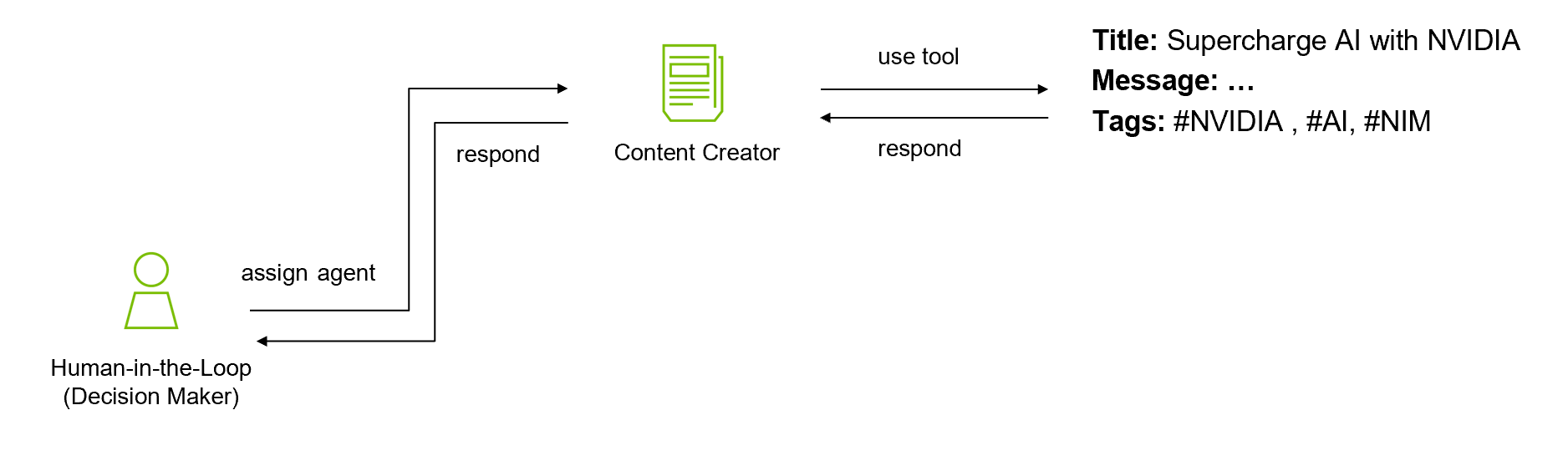 Figure 2. A human queries the Content Creator Agent to generate social media promotion text
A Python code sample:
The human selects 1 = Content Creator Agent for the task. The agent executes and returns the agent_output, as shown in Figure 3.
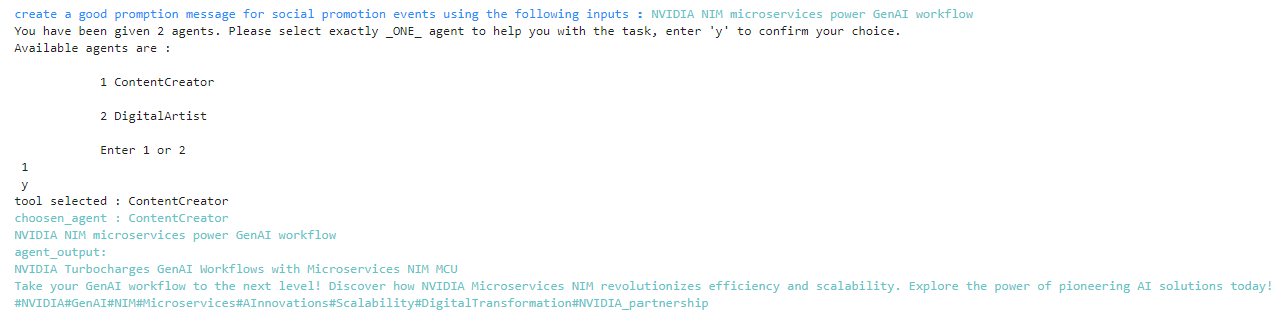 Figure 3. Sample output from invoking Content Creator Agent pipeline
A prompt for creating illustrations
Once satisfied with the results, move on to query the Digital Artist Agent to create artwork for social media promotion (Figure 4).
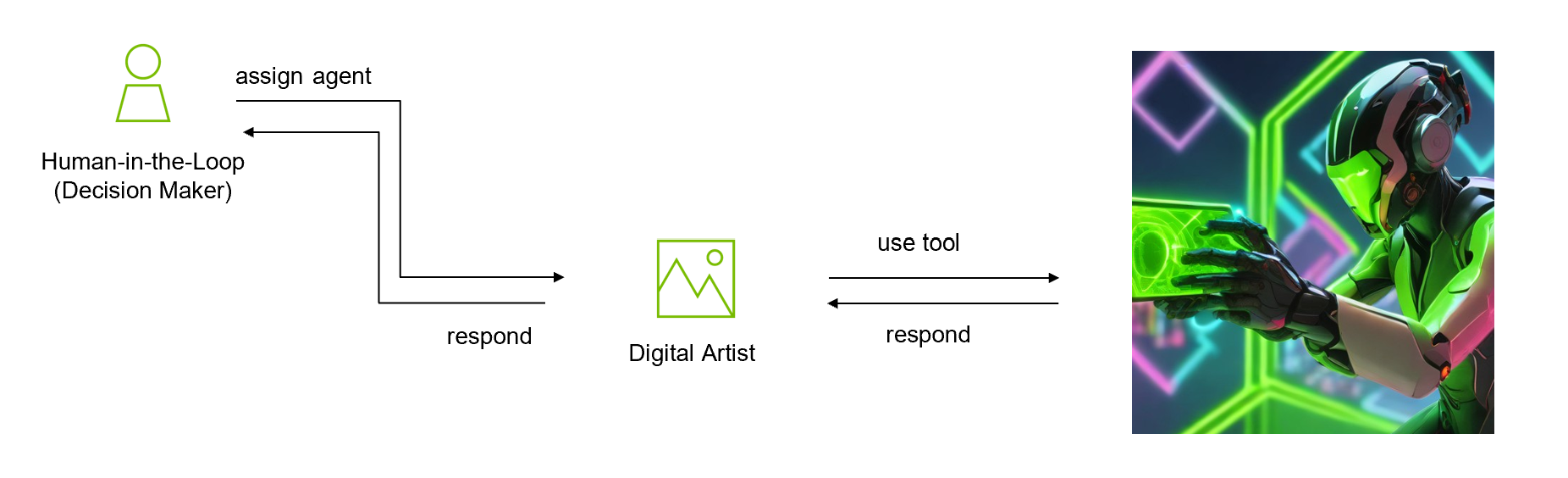 Figure 4. Human assigns Digital Artist Agent to generate social media artwork
The following Python code sample uses the title generated by the Content Creator Agent as input for the image prompt:
The generated image is saved as output.jpg.
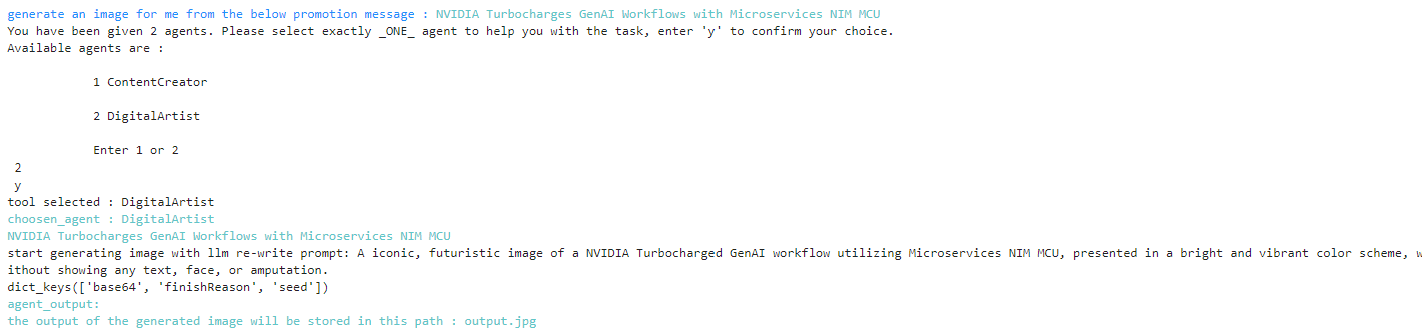 Figure 5. Sample output from invoking Digital Artist Agent pipeline
Iterating for high-quality results
You can iterate on the generated images to obtain different variations of artworks to get the results you’re looking for (Figure 6). Adjusting the input prompt slightly from the Content Creator Agent can yield diverse images from the Digital Artist Agent.
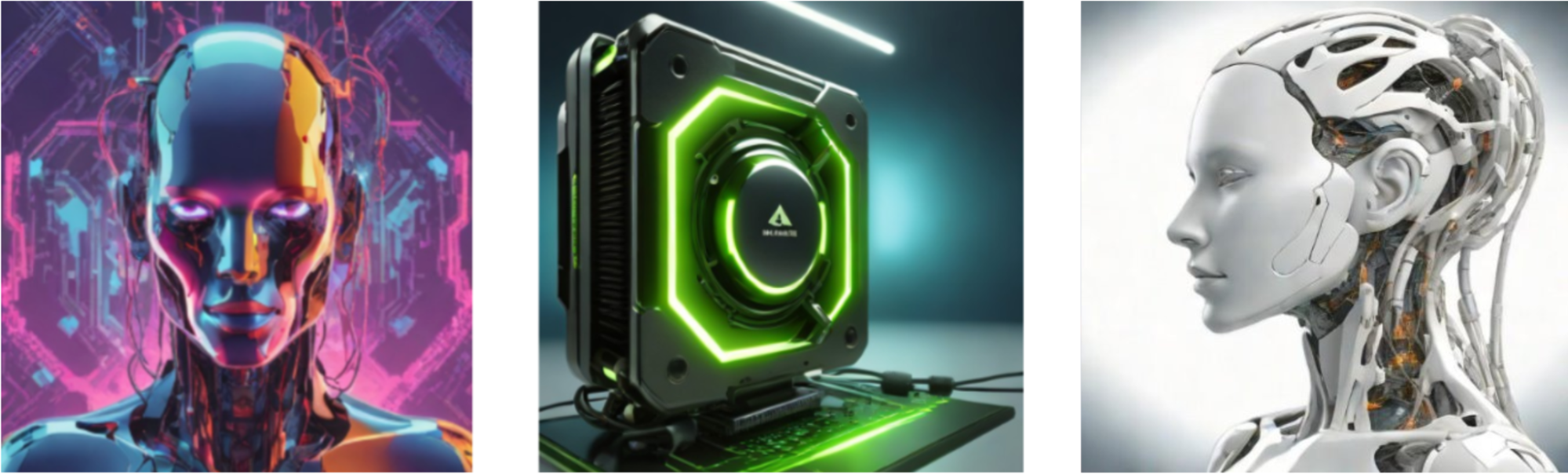 Figure 6. Sample images generated by the Digital Artist Agent
Refining the final product
Finally, perform post-processing and refine the combined outputs from both agents, formatting them in markdown for final visual review (Figure 7).
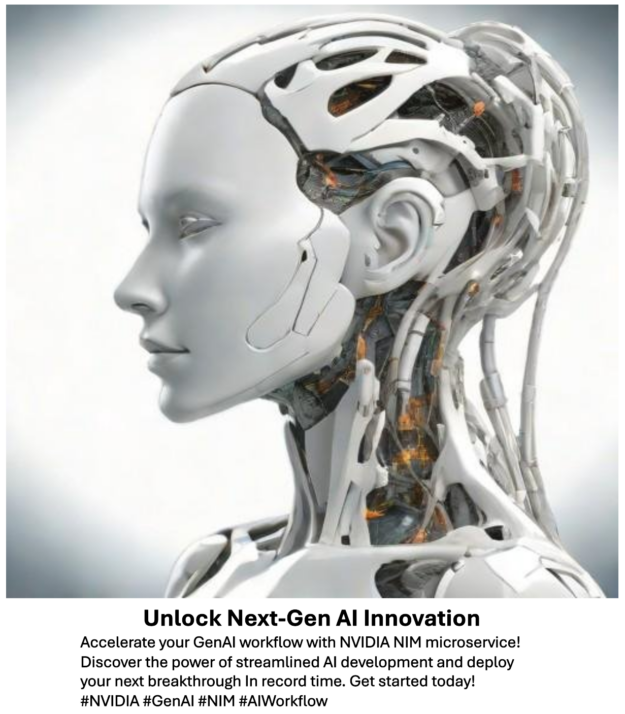 Figure 7. Post-processed output of a social media post and accompanying image produced by AI agents and approved by a human
In this blog post, you’ve learned how to build a human-in-the-loop AI agent using NVIDIA NIM microservices and LangGraph by LangChain to streamline content creation workflows. By incorporating AI agents into your workflow, you accelerate content production, reduce manual effort, and retain full control over the creative process.
NVIDIA NIM microservices enable you to scale your AI-driven tasks with efficiency and flexibility. Whether you’re crafting promotional messages or designing visuals, human-in-the-loop AI agents provide a powerful solution for optimizing workflows and boosting productivity.
Ready to explore more about models, AI tools, and best practices? Check out Building AI Agents with NVIDIA NIM Microservices and LangChain, explore the Llama 3.1 405B Instruct NIM microservice, and dive into the Incorporating Human-in-the-Loop in Agentic Logic Using LangGraph notebook.







 English (United States) ·
  French (France) ·